All modules · Work

Equipment

Equipment, rentals & dispatch

Check gear in and out, rent it to clients with billing built in, and dispatch deliveries and pickups.
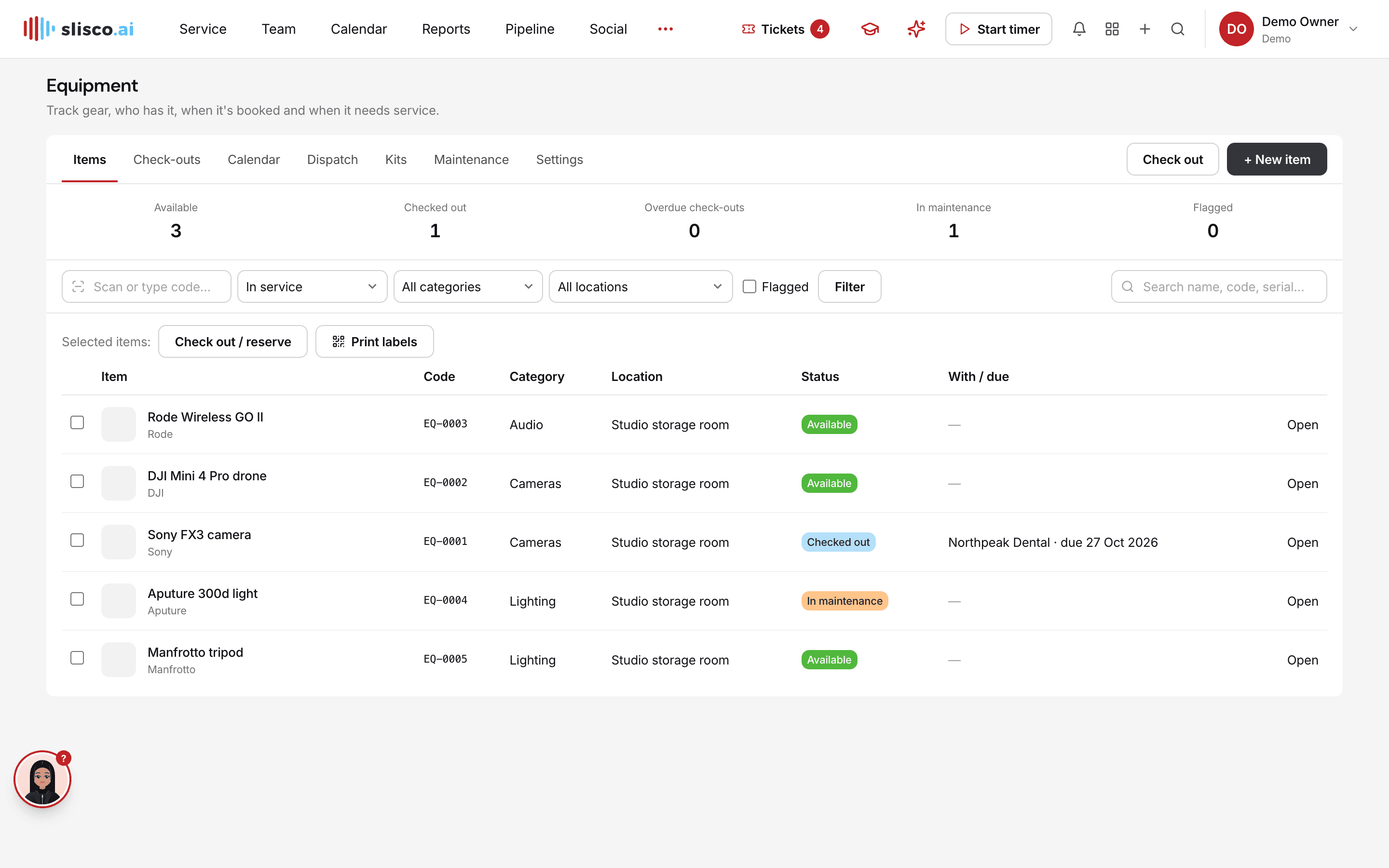
The Equipment module in Slisco

Why teams use it

Equipment, rentals & dispatch, done properly.

Part of one shared workspace, so Equipment data is already connected to your clients, projects and invoices.

01

Check-outs and rentals

Reserve or rent items to a client or project with pickup and return times, then check them back in with condition notes and photos.

02

Rental billing

Rates per hour, day, week, 28 days or month. Invoice a rental in one click, or let Slisco draft the invoice every period.

03

Dispatch

Plan delivery and pickup jobs on a board by day and driver; drivers complete jobs from their phone.

04

Scan, kits and maintenance

QR labels, kits that check out together, overdue reminders and a full service history.

Inside Equipment

Every page in the Equipment menu.

What you'll find in the side menu and tabs, and what each one does.

Equipment

  • ItemsThe gear inventory: who has each item, and its booking and service status, with scan-or-type lookup.
  • Check-outsReservations and rentals to a client or project, with pickup and return times and an optional delivery site.
  • Check-inCheck items back in, all at once or one by one, with condition notes and up to five photos.
  • CalendarA timeline for each item showing reservations, rentals and maintenance.
  • DispatchA board of days and drivers for delivery and pickup jobs, plus a phone view where drivers complete their jobs.
  • KitsGroups of items that are checked out together.
  • MaintenanceService due soon, flagged items and a maintenance log.
  • SettingsCategories, locations and vehicles.

Rental billing

  • Rates by periodCharge per hour, day, week, 28 days or month, billed per started period.
  • Invoice rentalTurn a rental into a draft invoice in one click.
  • Automatic invoicingWeekly, 28-day and monthly rentals get a draft invoice every period. Nothing is sent without you.
  • Overdue remindersDaily reminders for late returns, in the app for staff and by email for the client.
  • Client portalClients see their rentals and invoices and can pay online.
Equipment: Equipment, rentals & dispatch · Slisco